The best tool isn’t the one with the most features. It’s the one that finally shows you everything.
Every founder ends up with a drawer full of apps — Stripe, Shopify, analytics, Trello, Notion, a calendar, an inbox — and still no single view of how things are going. In this post you’ll learn what to look for in the best software to see your whole business in one place, then compare the real options side by side — Google Data Studio, Power BI, Databox, Geckoboard, Klipfolio, a spreadsheet and Vexlynk — with what each is for, what it connects, what it costs, and who should pick which.
What “see your whole business in one place” should mean
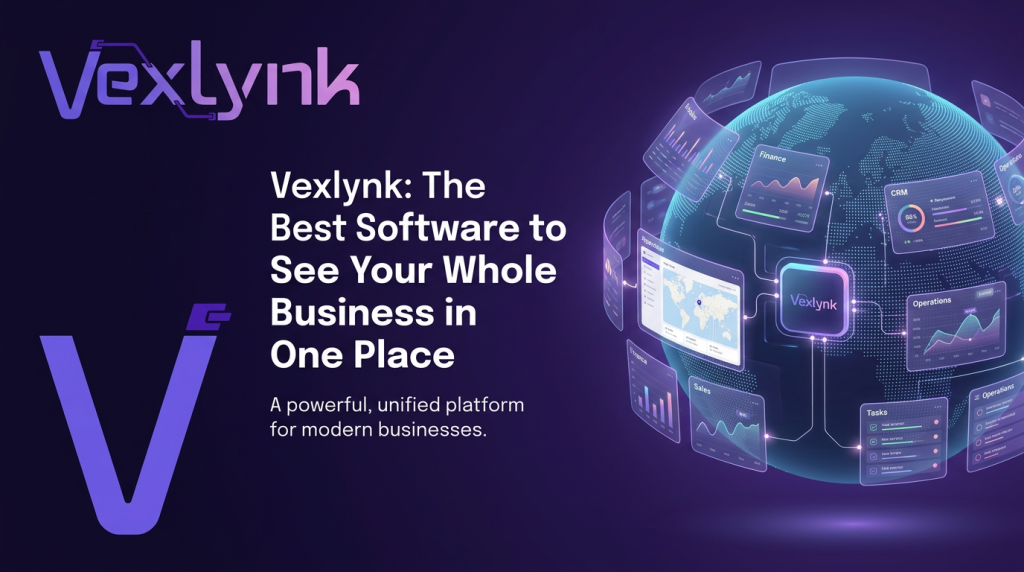
It should mean one screen where money, work, audience, and inbox live side by side — not ten logins you check in sequence.
The best software for this isn’t a chart wall you glance at. It’s a spatial canvas you work in, where each connected tool becomes a live card that refreshes on its own.
It’s the same idea as a spatial workspace: your real business, visible all at once.
Why a canvas beats a dashboard
A dashboard shows you numbers. A canvas lets you act on them.
On a canvas you drag a revenue card next to a note, connect two ideas, draft the follow-up, and reorder today’s priorities — data and work on one surface.
That matters because the real cost of scattered tools isn’t the app itself. It’s the focus you lose switching between them, something task-switching research has measured for years (American Psychological Association).
What to look for in the best software
When you’re comparing options, the ones that truly show your whole business share a few traits:
- It connects the tools you already use — Stripe, Shopify, YouTube, Google Analytics 4, Trello, Notion, calendar, WhatsApp, and more.
- Most sources are read-only — your data flows in, and the few you can act from (WhatsApp, Trello, ClickUp, Google Calendar) change something only when you do it yourself; sending, archiving, completing or deleting asks you to confirm first.
- Everything is live — cards refresh on their own, so the picture stays current.
- It’s clear about where your data lives — on Vexlynk’s desktop app your board is stored on your machine and cloud sync is an option on Plus and Pro; the web workspace keeps boards in the cloud (desktop vs web).
The real options, compared
There isn’t one best tool for everyone. There are three kinds of tool, and the right one depends on who builds it and who looks at it:
- BI and report builders (Google Data Studio, Power BI): the most flexible and the cheapest to start, but someone has to build and maintain the reports.
- KPI dashboards (Databox, Geckoboard, Klipfolio): faster to set up, built to put a handful of numbers in front of a team.
- A workspace canvas (Vexlynk): live cards from the apps you already use, with notes, tasks and an AI assistant on the same board.
| Tool | What it’s for | What it connects | Starting price (as of September 2026) | Pick it if… |
|---|---|---|---|---|
| Google Data Studio (formerly Looker Studio) | Reports and dashboards you build yourself | Google data plus over 1,300 Community Connectors | Free; Data Studio Pro is $9 per user per project per month (pricing) | You live in Google’s tools and don’t mind building the report |
| Microsoft Power BI | Full business intelligence: data modeling, interactive reports, company-wide sharing | Company data through connectors; works inside Teams, Excel, PowerPoint, Outlook and SharePoint | Free account to build your own reports; Pro $14 per user/month (paid yearly) to share; Premium Per User $24 | You have Microsoft 365 and someone who can model data |
| Databox | KPI dashboards and reporting with an AI analyst | 130+ tools, spreadsheets, databases and APIs | Free plan (1 user, 3 data sources); Analyst $71/month billed annually | You want KPI dashboards and AI answers over many marketing and sales tools |
| Geckoboard | Live KPI dashboards for a team, including on an office TV | 90+ data sources, plus Google Sheets and Excel | Essentials from $79/month billed annually (2 dashboards, 1 editor) | A team needs one shared screen of a few key numbers |
| Klipfolio | Highly custom dashboards (Klips) with data modeling | 130+ data integrations plus a REST/URL connector | Base $120/month billed annually ($140 billed monthly): 3 dashboards, unlimited users; 14-day free trial | You want pixel-level control and have time to build and maintain it |
| A spreadsheet (Google Sheets or Excel) | A manual roll-up of your key numbers | Whatever you paste or import | No new tool if you already have one | You have two or three sources and don’t mind updating by hand |
| Vexlynk | A canvas where live source cards, notes and an AI assistant sit on one board | 23 live sources, e.g. Stripe, Shopify, GA4, YouTube, HubSpot, Notion, Trello, ClickUp, Google Calendar, WhatsApp, Outlook | Free (1 workspace, 5 sources, 50 AI turns/month); Plus and Pro: see current pricing | You’re a solo owner or small team who wants to see and act across your apps without building reports |
Links and prices checked September 27, 2026. Prices are in US dollars and change often; the vendor’s page is the source of truth.
Who should pick which
- You have an analyst or a data-minded teammate: Power BI or Google Data Studio. They handle custom metrics, joins across sources and large data sets far better than any card-based tool.
- You mainly want a shared screen of KPIs for the team: Geckoboard (built for office TVs and shared dashboards) or Databox. Databox also has a free plan for up to 3 data sources.
- You run an agency with many client accounts: Databox has an Agency plan (starting at $79 billed annually, plus client packs), and Klipfolio offers agency plans too.
- You have two or three sources and a weekly check-in: a spreadsheet is honest and cheap. It stops working when you’re pasting numbers every day.
- You’re a solo owner, creator or small team juggling many apps: Vexlynk. You connect a source and it becomes a live card; there’s no report to build. The free plan covers 5 sources.
Where the others beat Vexlynk
Being straight about it: Vexlynk doesn’t connect databases, spreadsheets or ad accounts today, it doesn’t do custom SQL or data modeling, it isn’t built for an office TV wall, and there’s no one-click board export yet. If you need any of those, pick a BI tool or a KPI dashboard from the table.
Where Vexlynk is different
Most sources are read-only; a few (WhatsApp, Trello, ClickUp, Google Calendar) let you act from the card, only when you do it yourself — sending a message, or archiving, completing or deleting something, asks you to confirm first. The assistant reads every card on the board together and tells you which card a number came from, and 12 built-in Vlynks write analysis cards when you run them from the card, ask for them, or set a daily or weekly schedule.
The part most software is missing
Seeing everything is step one. The best software also helps you do something with it.
Vexlynk puts a permanent agent on the canvas — a quiet co-pilot that reads the whole board and your live data, then builds, organizes, and drafts through plain conversation.
It acts only when your own message tells it to, and it reasons over your real numbers instead of the open internet — so answers stay grounded in your actual business.
The bottom line
If you have an analyst, the best software is a BI tool like Power BI or Google Data Studio. If a team needs a shared KPI screen, it’s Geckoboard or Databox. If you’re running the business yourself across a dozen apps, it isn’t a prettier dashboard — it’s a canvas where your data and your work finally live together.
One board, every number, one place you start the day. You can try Vexlynk and see the whole thing on one screen.
What would change if you could see your entire business the moment you sat down to work?
Frequently asked questions
Is there a free way to see my whole business in one place?
Yes. Google Data Studio is free to use, Power BI has a free account for building your own reports, Databox has a free plan for 1 user and 3 data sources, and Vexlynk Free connects 5 sources with 50 AI turns a month.
Do I need a BI tool or a dashboard?
A BI tool if you need custom metrics and someone can build them. A KPI dashboard if a team watches the same few numbers. A canvas if you want to see your apps side by side and act on them without building anything.
Does Vexlynk replace Power BI or Data Studio?
No. It doesn’t do data modeling or connect databases. It replaces the morning tour of your apps, not your analyst’s reports.
Related guides
- What’s the best tool to see my whole business? A short answer and a checklist by situation
- Business dashboard examples: four one-screen setups by business type
- How to see your business numbers at a glance, step by step
- The small-business tool stack: the apps most owners use, by job
- What Vexlynk is and how it works
Vexlynk
Vexlynk Team